
Invoice2go: Easy Invoice Maker
Invoice2GoBusiness
4.55.66K Reviews
- Version
- 11.167.0
- Installs
- 1.00M
- Age Rating
- Everyone
Screenshots
Our Review of Invoice2go: Easy Invoice Maker
 Analysis by Appyee
Have you ever found yourself drowning in a sea of invoices, desperately trying to keep track of payments and due dates? Well, let me introduce you to Invoice2go: Easy Invoice Maker, a nifty app that promises to make your billing woes a thing of the past. I've spent some time exploring this app, and I'm here to share my experience.
First Impressions
When I first downloaded Invoice2go, I was immediately struck by its clean and intuitive user interface. It's one of those apps that doesn't make you feel like you need a degree in accounting to figure out. Everything is laid out simply, from creating your first invoice to tracking payments. It's a breath of fresh air, especially if you're used to clunky software that leaves you scratching your head.
Creating Invoices
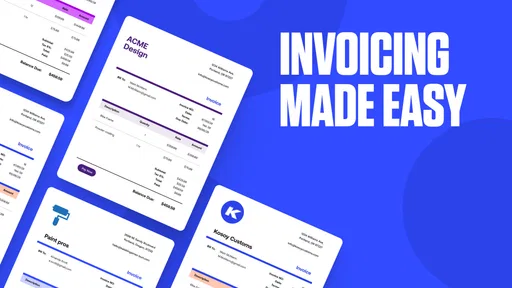
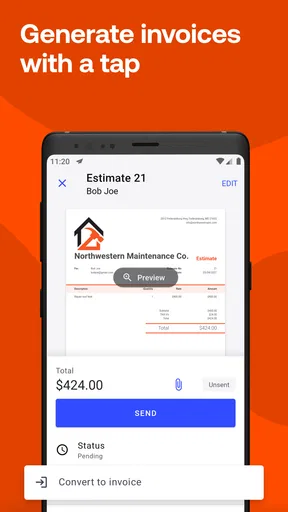
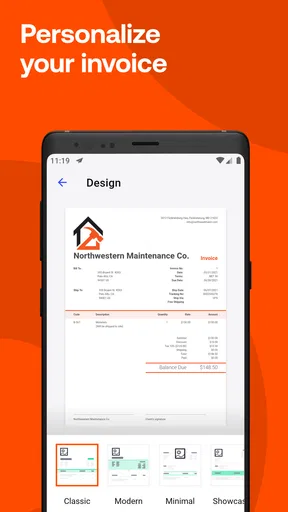
Creating invoices with Invoice2go is as easy as pie. You just tap on the "Create Invoice" button, and you're off to the races. The app allows you to customize invoices with your logo, colors, and even choose from different templates to give your documents a professional touch. It’s like having your own personal designer without the hefty price tag.
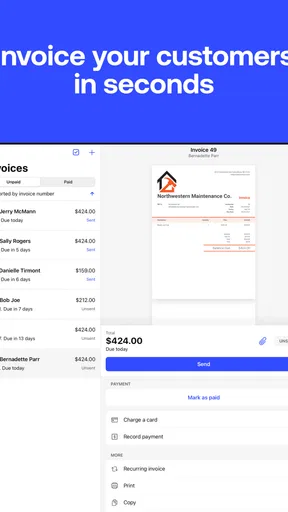
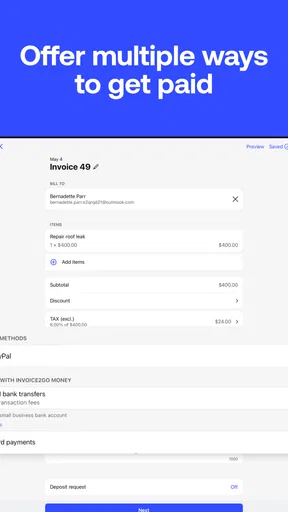
Once you've got your design sorted, inputting information is straightforward. You can add client details, list products or services, and even apply taxes and discounts. The app automatically calculates totals for you, which is a huge time-saver.
Tracking Payments
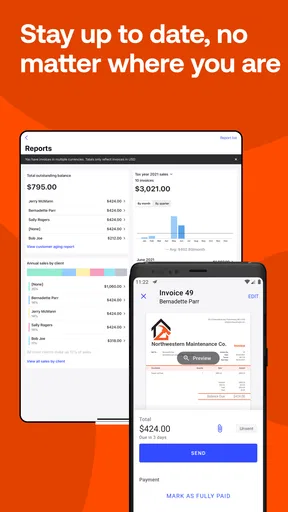
One of the standout features of Invoice2go is how it handles payment tracking. You can easily see which invoices have been paid, are overdue, or are still pending. The app sends reminders to your clients, giving them a gentle nudge to pay up. This feature alone has saved me countless hours of manual follow-ups.
Additional Features
Beyond invoicing, Invoice2go offers a suite of tools to help manage your business. There's an expense tracker that lets you log your business expenses on the fly. It's as simple as snapping a photo of a receipt and entering the details. This feature is a lifesaver come tax time.
The app also includes a time tracker, perfect for freelancers who bill by the hour. You can start and stop a timer right within the app, and it will automatically add the hours to your invoice. No more guessing how long that project actually took.
Integration and Accessibility
Invoice2go doesn't exist in isolation; it integrates seamlessly with other apps and platforms. You can sync it with your email, cloud storage, and even accounting software like QuickBooks. This makes it incredibly easy to keep everything in one place and avoid the dreaded double data entry.
The app is available on both Android and iOS, making it accessible no matter what device you're using. Plus, there's a web version, so you can manage your invoices from your computer as well.
Useful in the Rhythm of a Small Business
The strongest case for this app is a business where work is completed in small, billable chunks: a repair visit, a design revision, a coaching session, or a short consulting job. In those situations, the invoice is not an occasional office task; it is the final step of the job. Being able to record the work and prepare the bill while the details are fresh can prevent the end-of-week scramble to remember what happened.
For example, imagine a self-employed electrician finishing several calls in one day. The client names, job descriptions, and agreed charges can blur together by evening. A consistent routine helps: record each visit while leaving the site, check the line items before sending, and mark the invoice status when payment arrives. The app’s value is less about producing a clever document and more about making that routine repeatable.
My practical tip is to settle on a simple naming and description habit before the workload grows. Keep service descriptions understandable to clients, and use the same wording for recurring work. That makes later review easier and reduces the chance that a vague line item turns into a question or a correction. Customization is useful, but I would avoid changing the visual design for every client; a stable format is quicker to maintain and looks more consistent.
Where It Fits Compared with Other Options
Compared with a spreadsheet and a document template, Invoice2go is better suited to someone who wants invoices, payment status, and basic business records gathered in one workflow rather than manually updating several files. A spreadsheet can be cheaper in effort for a person who sends only a handful of bills and already has a reliable system, but it depends on careful manual tracking. The app is more appealing when the repeated admin is the problem, not when the business needs a highly customized accounting setup.
It also occupies a different place from full accounting software. An all-purpose bookkeeping package may be a better fit when a business needs deeper financial reporting, complex inventory, payroll, or oversight across several people. Invoice2go’s appeal is its directness: it is centered on the everyday movement from work completed to invoice sent and payment checked. I would choose based on that boundary, not on the assumption that one tool should handle every financial task.
Before relying on any invoicing app as the only record of a business, I would also decide how invoices and expenses fit into the owner’s wider bookkeeping routine. Keep a regular review habit, and confirm that the information you need for your own accounting is being captured in a usable way. A tidy invoicing workflow is helpful, but it does not remove the need to understand the business’s overall financial picture.
The Month-to-Month Test
The app earns lasting space on a phone when it becomes part of a real business habit. At the end of a job, create or finish the invoice; at the end of the week, look over anything still unpaid; and at a regular point in the month, review expenses and recorded time. These small checkpoints make the features more useful than opening the app only when a client asks for a bill.
That routine is especially worthwhile for freelancers and small operators who work away from a desk. A mobile-first workflow can capture details before they are forgotten, while the web version offers a more comfortable place to review work on a larger screen. I would still make a quick check of amounts, tax treatment, and client details before sending anything. Automatic totals reduce arithmetic, but they cannot decide whether the information entered is correct.
Invoice2go is developed by Invoice2Go and belongs to the business-app category. It is free to download, rated for Everyone, and its current version is 11.167.0. Optional in-app purchases range from $0.99 to $449.99 per item, so I would look closely at the available plan and purchase details before building a long-term workflow around features that may require payment. It has an average rating of 4.6 from around 31,000 ratings, with about 5,700 written reviews and over a million installs. Those figures suggest that it is an established choice, though they cannot tell you whether its particular workflow suits your trade.
What to Check Before Making It Your System
A useful first step is to create a sample invoice and inspect it as if you were the client receiving it. Check whether the business identity, service descriptions, totals, and payment instructions are clear. This is a better test than judging a template from the editing screen: the real document needs to make sense to someone who has no context beyond the work you performed.
Then try the full cycle with a low-stakes invoice: prepare it, send it, and update its status when the payment is settled. That reveals whether the steps feel natural enough to repeat. If you often work with returning clients, check how comfortably you can reuse their details and avoid retyping the same information. Repeated entry is a small annoyance once, but it becomes a genuine drag when it happens after every job.
For hourly work, start and stop the timer close to the actual work rather than reconstructing the day later. Timers are most useful when they capture the work as it happens; they are less dependable when interruptions, travel, or non-billable tasks complicate the session. Review the recorded time before adding it to a bill, especially if the client agreed to a specific scope. The convenience of carrying a timer does not replace a clear agreement about what counts as billable time.
The expense tracker can also support a useful habit if receipts are logged soon after purchase. A photo and a short note are easier to interpret later than a camera roll full of unlabeled receipts. I would treat this as a capture aid, then periodically check the entries against the records needed for bookkeeping. That distinction matters: recording an expense promptly helps prevent omissions, while reviewing it later helps catch mistakes.
Where the Convenience Can Wear Thin
The same all-in-one approach that makes the app attractive can become a limitation if you expect a mobile invoicing tool to replace a complete finance department. Businesses with unusual tax rules, complicated approval steps, many staff members, or detailed reporting needs should test those requirements carefully and may be better served by a more specialized accounting system. Keeping tools simple is valuable only while the workflow remains accurate and manageable.
There is also a habit cost. Every app asks you to maintain client records, descriptions, expenses, and payment statuses. If you do not update them, the dashboard can give a false sense of order while older information quietly becomes unreliable. A short weekly review is more realistic than expecting the app to organize a business on its own. If you dislike routine record-keeping or already have a dependable invoicing process, adding another place to enter information may create more work than it saves.
Cost is another reason to take a measured approach. Free to download does not mean every useful option is necessarily included at no cost, and the range of optional purchases is wide. I would identify the one or two capabilities that actually matter to my business, check what is available before paying, and avoid choosing a plan simply because a feature sounds convenient. The right setup is the least complicated one that supports the work you do every week.
Final Thoughts
After spending some quality time with Invoice2go: Easy Invoice Maker, I can confidently say it lives up to its name. It's a powerful yet accessible tool for anyone who needs to manage invoices and payments. Whether you're a small business owner, a freelancer, or just someone who needs to invoice on occasion, this app is worth a look.
Overall, Invoice2go has made the invoicing process so much easier for me, and I can't imagine going back to my old ways. It's an app that truly delivers on its promises, and for that, it gets my full recommendation.
My recommendation is strongest for independent professionals and small businesses that send invoices regularly, want a straightforward way to keep tabs on payment, and will actually use the expense and time tools as part of a routine. For someone who bills rarely, a reusable template may be enough; for a business with demanding accounting needs, a fuller bookkeeping product may be the safer choice. The lasting test is simple: if this app helps you finish the billing loop after each job without adding another pile of maintenance, it has earned its place. If it becomes a neglected repository that you have to tidy up later, the convenience will fade.
Verdict
Strengths of Invoice2go: Easy Invoice Maker
- User-friendly interface for quick navigation.
- Customizable templates for professional invoices.
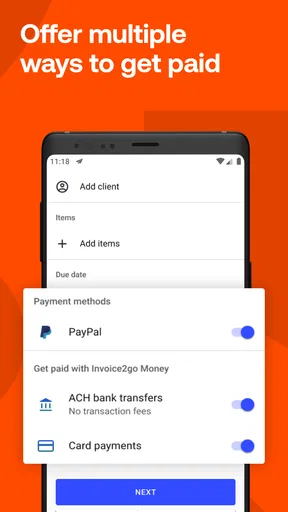
- Integrated payment options streamline transactions.
- Supports multiple currencies for global clients.
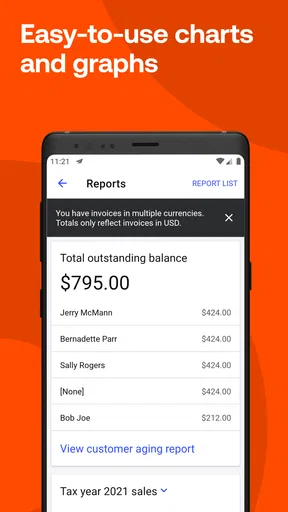
- Comprehensive reporting for financial insights.
Limitations of Invoice2go: Easy Invoice Maker
- Limited free version features.
- Occasional syncing issues with cloud services.
- No offline mode available.
- Customer support response can be slow.
- Some advanced features require a steep learning curve.
Similar Picks in This Category
View All
LinkedIn: Community & Network
LinkedIn3.8

Zoom Workplace
zoom.com4.1

Microsoft Teams
Microsoft Corporation4.6

Meta Business Suite
Meta Platforms, Inc.4.6

Webex Meetings
Cisco Systems, Inc.4.5

TeamViewer Remote Control
TeamViewer4.4
Frequently Asked Questions
What features does Invoice2go offer for invoicing?
Invoice2go provides a comprehensive set of features for creating, sending, and managing invoices. Users can customize invoice templates, track payments, and send reminders. Additionally, the app supports multiple currencies and tax rates, integrates with popular payment gateways, and offers reporting tools to track financial performance.
Is Invoice2go suitable for small businesses and freelancers?
Yes, Invoice2go is designed with small businesses and freelancers in mind. Its user-friendly interface and scalable features make it ideal for managing invoicing needs, whether you have a few clients or a growing customer base. The app's flexibility allows users to tailor it to their specific business requirements.
How does Invoice2go handle client data and privacy?
Invoice2go prioritizes user privacy and data security. The app employs encryption and secure servers to protect client information. Users have control over their data and can manage client information directly within the app. Regular updates and compliance with data protection regulations further ensure privacy and security.
Can I use Invoice2go offline, and does it sync across devices?
Invoice2go offers offline functionality, allowing users to create and manage invoices without an internet connection. Once reconnected, the app automatically syncs data across devices, ensuring seamless access and up-to-date information whether you're using a smartphone, tablet, or desktop.
What are the subscription plans available for Invoice2go?
Invoice2go offers various subscription plans to cater to different business needs. Plans typically vary by the number of invoices, clients, and additional features like reporting or payment processing. Users can choose monthly or annual billing, with options to upgrade or downgrade as their business needs change.
